Category: Open-Source

  • The definitive 2026 guide to open-source headless CMS

    The definitive 2026 guide to open-source headless CMS

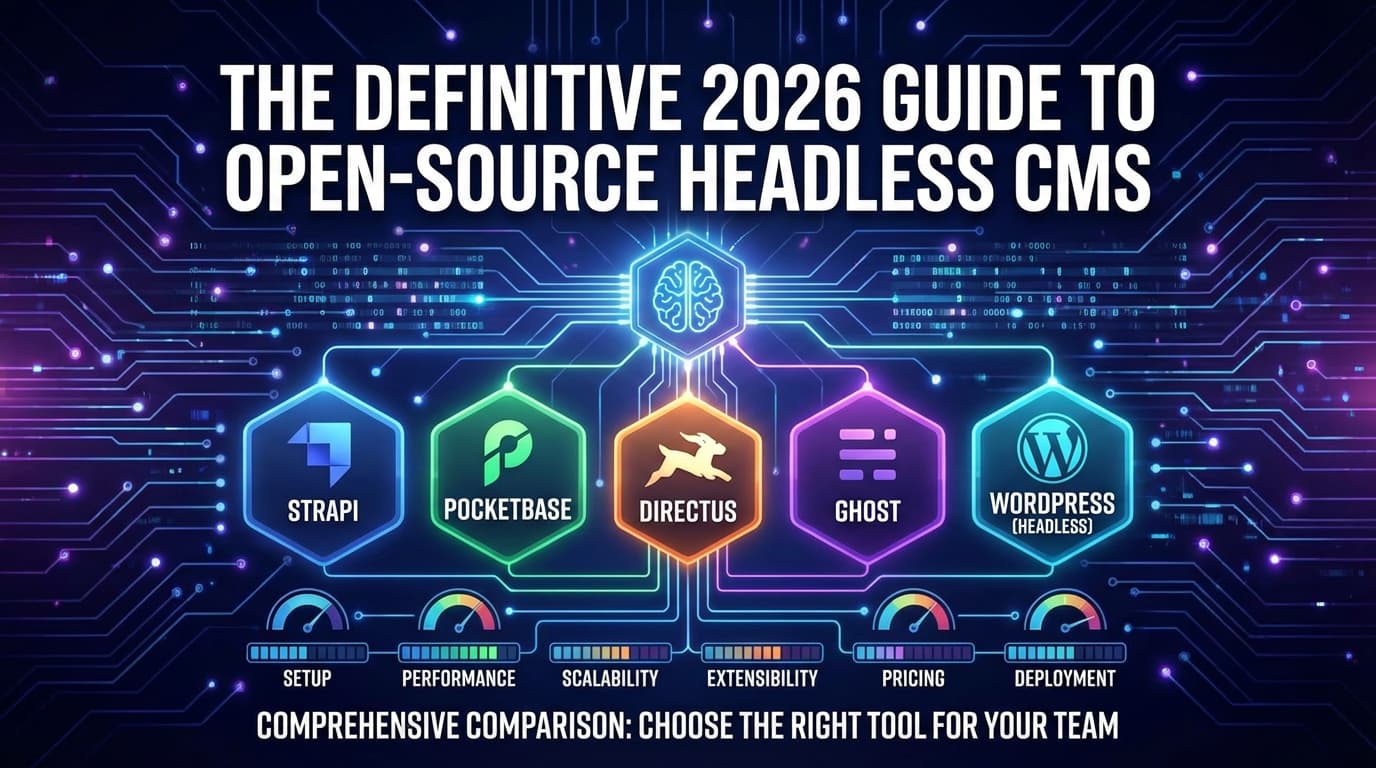
    Strapi leads the pack with 71,300 GitHub stars and the broadest feature set, but PocketBase’s single-binary simplicity and Directus’s database-first philosophy make them compelling alternatives depending on your needs. This guide compares five open-source headless CMS platforms – Directus, Strapi, Ghost, WordPress (headless mode), and PocketBase – across every dimension that matters: setup, performance, scalability, extensibility, pricing, and deployment. Whether you’re a solo developer shipping an MVP or an enterprise team managing content at scale, this report delivers the data and insights you need to choose the right tool.


    How each CMS stacks up at a glance

    Before diving deep, here’s the complete comparison matrix:

    Feature Directus Strapi Ghost WordPress (Headless) PocketBase
    GitHub Stars ~34,000 ~71,300 ~51,800 ~20,700 (mirror) ~56,200
    Current Version v11.14.0 v5.36.1 v6.19.2 v6.8.3 v0.36.5
    License BSL 1.1 MIT MIT GPLv2+ MIT
    Primary Stack Node.js / Vue.js Node.js / React Node.js / Ember.js PHP / JavaScript Go / Svelte
    API Types REST + GraphQL + WebSockets REST + GraphQL REST only REST + GraphQL (plugin) REST + Realtime SSE
    Database Support PostgreSQL, MySQL, MariaDB, SQLite, MSSQL, Oracle, CockroachDB PostgreSQL, MySQL, MariaDB, SQLite MySQL only MySQL, MariaDB SQLite only
    Admin Panel ★★★★★ ★★★★½ ★★★★★ (editor-focused) ★★★★ ★★★★★
    Plugin Ecosystem 535 extensions 200+ plugins Integrations only 60,000+ plugins Community hooks
    Docker Support Official images Docs + community tools Official images Official images Community images
    Setup Time ~5 min ~3 min ~5 min ~15-30 min (headless) ~30 seconds
    Best For API-first apps, enterprise Content APIs, corporate sites Publishing, newsletters Large-scale CMS, omnichannel MVPs, prototypes, small apps
    Cloud Pricing From $15/mo Free tier available From $15/mo Self-host only Self-host only (free)
    Self-Hosted Price Free (<$5M revenue) Free (MIT) Free (MIT) Free (GPLv2) Free (MIT)
    Community (Discord) ~13,400 members ~24,800 members Forum-based Largest CMS community globally GitHub Discussions

    Directus: the database-first powerhouse

    Directus takes a fundamentally different approach from every other CMS on this list. Rather than creating its own data model, it mirrors any existing SQL database and instantly generates REST and GraphQL APIs on top of it. Created in 2004 by Ben Haynes – a full decade before “headless CMS” became a term – it raised $7M in Series A funding in 2022 and now powers companies like Tripadvisor, Copa Airlines, and Weber.

    The platform supports seven databases (PostgreSQL, MySQL, MariaDB, SQLite, MSSQL, OracleDB, CockroachDB), more than any competitor on this list. Its Vue.js-based “Data Studio” admin panel is widely praised for elegance, offering Kanban views, calendar layouts, map views, a visual editor (beta), and collaborative real-time editing. The 535 extensions in its marketplace span interfaces, hooks, operations, layouts, and themes – installable directly from the admin UI.

    Strengths that stand out: Directus Flows provide a visual automation builder with five trigger types (event hooks, webhooks, schedules, chained flows, and manual buttons). Native MCP support (v11.13) means AI agents can interact directly with your data. The built-in DAM handles on-the-fly image transformations, focal points, and resumable uploads via the TUS protocol across multiple storage backends (S3, Azure, GCS, Cloudinary).

    Where it falls short: The BSL 1.1 license requires a commercial license for organizations with over $5M in annual revenue – not truly “open source” by OSI standards. Breaking changes can appear in any release since Directus doesn’t follow strict semver. Horizontal scaling requires Redis configuration and load balancer setup that can trip up beginners.

    Hidden gem: The directus-template-cli ships production-ready templates for CMS, CRM, and e-commerce setups. Combined with schema snapshots (npx directus schema snapshot), you can version-control and replicate entire data models across environments.

    Ideal for: Enterprise content management, API-first applications, SaaS backends, mobile app backends, internal tools, and teams that want to wrap an existing database with a modern CMS layer without migration.


    Strapi: the community champion with enterprise ambitions

    Strapi is the most popular open-source headless CMS by community size, with 71,300 GitHub stars, 700+ contributors, and adoption by NASA, Cisco, Walmart, Airbus, and JPMorganChase. Founded in Paris in 2015 (the name means “Bootstrap your API”), it achieved SOC 2 Type II certification in 2024 and crossed 20 million npm downloads lifetime.

    Strapi v5, the current major version, brought a complete TypeScript rewrite, Vite bundling (replacing Webpack), a new Document Service API, flattened API responses, and content history. Setup remains one of the simplest: npx create-strapi-app@latest my-project gets you a working CMS with SQLite in under three minutes. The React-based admin panel features a visual Content-Type Builder where non-technical users can define schemas with Dynamic Zones, Components, and relations – no code required.

    Strengths that stand out: Strapi’s plugin marketplace offers 200+ plugins including CKEditor 5, SEO tools, navigation managers, REST caching with Redis, and auto-generated Swagger documentation. The built-in i18n plugin now supports AI-powered automatic translations across all locales (Growth plan). The v5 Plugin SDK with CLI scaffolding makes building typed, tested plugins straightforward.

    Where it falls short: MongoDB support was dropped after v3, leaving only SQL databases. Some enterprise features – SSO, audit logs, review workflows – sit behind the paid Growth ($15/seat/month) or Enterprise plan. The v4-to-v5 migration involves breaking changes (Entity Service → Document Service API), and v4 reaches end-of-life in April 2026. Without careful populate parameter targeting, N+1 query patterns can limit concurrency to roughly 200 concurrent users.

    Hidden gem: Use --non-interactive mode in CI/CD pipelines for automated project creation. The REST Cache Plugin with Redis can dramatically reduce database load. And Strapi Cloud’s free tier – no credit card required – lets you prototype and validate ideas at zero cost.

    Ideal for: Content-heavy websites, corporate sites, mobile app backends, developer portfolios, API-first projects, and teams that want a mature JavaScript/TypeScript ecosystem with strong community support.


    Ghost: built for writers, not developers

    Ghost exists in a category of its own. Created in 2013 by John O’Nolan (a former WordPress core contributor) and maintained by the non-profit Ghost Foundation, it’s purpose-built for professional publishing, memberships, newsletters, and paid subscriptions. With 51,800 GitHub stars and over 100,000 active websites, Ghost has collectively earned its publishers over $100 million in subscription revenue.

    Ghost v6.0 (August 2025) introduced ActivityPub federation – content now syndicates natively to Mastodon, Bluesky, Threads, and Flipboard – plus a native analytics suite. The Koenig editor is among the cleanest writing experiences available, supporting rich media cards, image galleries, embedded content, and simultaneous web + email newsletter composition. Ghost claims performance up to 1,900% faster than WordPress in some benchmarks, and Lighthouse scores of 90+ are routine.

    Strengths that stand out: Ghost bundles memberships, paid subscriptions (via Stripe at 0% platform fee), email newsletters with audience segmentation, native comments, built-in SEO (sitemaps, structured data, OG tags), and now social web federation – all without a single plugin install. For publishers, this integrated stack eliminates the complexity of stitching together separate tools.

    Where it falls short: Content modeling is limited to posts and pages – no custom content types, custom fields, or flexible schemas. This makes Ghost unsuitable for product catalogs, directories, or complex data structures. The database requirement is MySQL 8 only in production (SQLite for development only). There’s no plugin system by design; extensibility comes through API integrations, webhooks, and code injection. Multi-language content requires workarounds (separate instances or third-party tools like Weglot).

    Hidden gem: Ghost’s Admin API is a first-class citizen – the Ghost admin panel itself is built entirely on it. This means anything you can do in the UI, you can automate programmatically. Combine this with Zapier’s 8,000+ integrations for powerful content workflows. The routes.yaml file enables sophisticated custom routing for collections and taxonomies that most users never discover.

    Ideal for: Blogs, newsletters, membership sites, digital publications, independent media, creator businesses, and anyone who wants an all-in-one publishing platform without plugin management overhead.


    WordPress headless: the 800-pound gorilla goes decoupled

    WordPress powers 43.4% of all websites – roughly 500 million sites. Its admin panel, content editing experience, and plugin ecosystem (60,000+ plugins, 13,000+ themes) are unmatched. In headless mode, WordPress becomes a content backend that serves data via its built-in REST API or the WPGraphQL plugin to a separate frontend (Next.js, Gatsby, Astro, Nuxt).

    WPGraphQL, with 30,000+ active installations and 3,800 GitHub stars, is becoming a WordPress Canonical Plugin – ensuring long-term project support. Combined with Advanced Custom Fields (ACF), CPT UI, and Faust.js (WP Engine’s open-source headless framework), WordPress transforms into a flexible headless CMS with enterprise-grade content modeling. Companies like Time, CNN, TechCrunch, and Salesforce run WordPress at massive scale through WordPress VIP.

    Strengths that stand out: No other platform matches WordPress’s content modeling flexibility when you combine Custom Post Types + ACF PRO + WPGraphQL. The Block Editor (Gutenberg) delivers a modern editing experience, and WPGraphQL Content Blocks exposes block data as structured GraphQL types. Multi-language support via WPML or Polylang is battle-tested. WordPress Multisite enables true multi-tenant architectures from a single installation.

    Where it falls short: Headless WordPress is fundamentally a two-stack architecture requiring expertise in both PHP/WordPress and modern JavaScript frameworks. The “Preview Problem” – where the WordPress editor can’t show how content will look on the decoupled frontend – remains the biggest friction point for content teams. Many of WordPress’s 60,000 plugins assume a traditional frontend and simply don’t work headlessly. Security is a persistent concern: 92% of WordPress vulnerabilities stem from plugins, and sites face attacks every 22 minutes industry-wide. Development and maintenance costs are higher due to dual hosting, dual deployments, and dual skill sets.

    Hidden gem: WPGraphQL Smart Cache implements tag-based cache invalidation that tracks exactly which data powers each query and surgically invalidates only affected caches when content changes. Using GET requests for GraphQL queries enables network-level CDN caching – a pattern that delivers sub-100ms API responses globally.

    Ideal for: Enterprise and corporate sites, omnichannel content delivery, large editorial teams who already know WordPress, WooCommerce headless e-commerce, multilingual sites, and organizations that need the world’s largest plugin ecosystem.


    PocketBase: the single-binary revolution

    PocketBase compresses an entire backend – database, REST API, realtime subscriptions, authentication, file storage, and admin UI – into a single ~15MB Go binary. Created by Bulgarian developer Gani Georgiev in 2022, it’s rocketed to 56,200 GitHub stars despite being a one-person project still in pre-v1.0 (latest: v0.36.5). There is no company, no funding, and no paid tier. It’s entirely MIT-licensed and free.

    Setup is the simplest possible: download, extract, run ./pocketbase serve. Your backend is live in 30 seconds with zero dependencies. The embedded SQLite database (WAL mode) handles 10,000+ persistent realtime connections on a $4/month VPS. The Svelte-based admin dashboard lets you visually define collections, fields, relations, and API access rules. Both Go hooks (compiled into the binary for maximum performance) and JavaScript hooks (dropped into a pb_hooks/ directory, no Node.js required) enable custom business logic.

    Strengths that stand out: PocketBase supports 15+ OAuth2 providers, OTP, MFA, and fine-grained API rules using a powerful filter syntax (@request.auth.*, @request.body.*). Building with CGO_ENABLED=1 yields 2-3x faster read/write performance. The entire application state lives in the pb_data directory – backing up one folder is a complete backup. Litestream provides continuous S3 replication for roughly $0.02/month.

    Where it falls short: SQLite is the only database option, and there are no plans to change this. Horizontal scaling is impossible – PocketBase runs on a single server only. There’s no GraphQL, no built-in i18n, and the admin UI is English-only. As a pre-v1.0 project from a single developer, backward compatibility isn’t guaranteed, and there’s an inherent bus-factor risk. JS hooks run on a Go-embedded ES5 engine (Goja), which is an order of magnitude slower than Go hooks for computation-heavy tasks.

    Hidden gem: PocketBase can be imported as a Go library package, letting you build it into a fully custom application with custom routes, middleware, and business logic – all compiling to a single portable executable. The community pocodex plugin manager (bunx pocodex install <plugin>) is building an emerging ecosystem of reusable extensions.

    Ideal for: Prototypes and MVPs, small-to-medium applications, developer portfolios, internal tools, mobile app backends (excellent Dart/Flutter SDK), hobby projects, indie hacker products, and anyone who values radical simplicity over enterprise features.


    The pros and cons you actually need to know

    Rather than exhaustive lists, here are the decisive trade-offs for each platform:

    Dimension Directus Strapi Ghost WordPress (Headless) PocketBase
    Biggest Pro Works with any existing SQL database – zero migration Largest open-source headless CMS community + MIT license All-in-one publishing with memberships, newsletters, subscriptions Unmatched plugin ecosystem + 43% market share Single binary, zero dependencies, 30-second setup
    Biggest Con BSL license restricts orgs >$5M revenue Enterprise features paywalled; v4→v5 migration is breaking Content limited to posts/pages – no custom types Two-stack complexity + security overhead No horizontal scaling; SQLite only; single developer
    Performance Fast with Redis caching; requires tuning for large datasets Good; needs targeted populate to avoid N+1 queries Exceptionally fast out of the box Frontend can be static/CDN-served for sub-100ms loads Blazing fast Go binary; 10k+ realtime connections on $4 VPS
    Scalability Horizontal via load balancer + Redis Horizontal possible; used by Cisco, Walmart Vertical + Ghost(Pro) auto-scaling Enterprise-proven at massive scale (WordPress VIP) Vertical only – single server, single SQLite file
    Auth System Field-level RBAC, SSO (SAML/LDAP/OIDC), 2FA, policies RBAC + JWT; SSO on paid plans only Staff roles + member system with Stripe billing Built-in roles + JWT/OAuth plugins 15+ OAuth2 providers, OTP, MFA, granular API rules
    i18n Support Built-in translation interface, 30+ admin languages Built-in i18n plugin + AI translations (paid) No native content i18n – workarounds required WPML/Polylang (mature, battle-tested) None – implement at application level
    Media/DAM Full DAM: transformations, focal points, TUS uploads, multi-storage Media library with S3/Cloudinary, focal points Basic uploads only – external services recommended Built-in media library with image editing File storage with S3 support, auto thumbnails

    Tips, tricks, and hidden features developers should know

    Performance optimization across all five platforms

    Directus: Enable Redis caching (CACHE_ENABLED=true, CACHE_STORE=redis, CACHE_AUTO_PURGE=true). Mark non-searchable fields as such (v11.13+) to skip them in queries. Use the fields parameter to select only needed columns, reducing payload size significantly.

    Strapi: Never use populate=* in production – always specify exact relations to avoid N+1 queries that cap concurrency at ~200 users. Install the REST Cache Plugin with Redis. Use PostgreSQL for production (SQLite is development-only). Enable gzip compression middleware.

    Ghost: Choose a lean, well-coded theme and validate with Lighthouse before installing. Compress images before upload. Use the Alpine Docker variant (ghost:alpine) for smaller container footprints. Self-hosters should front Ghost with Cloudflare for CDN and DDoS protection.

    WordPress (Headless): Implement WPGraphQL Smart Cache with tag-based invalidation. Use GET requests for GraphQL to enable CDN caching. Combine ISR (Incremental Static Regeneration) on Next.js with webhook-triggered rebuilds. Layer caching: browser → CDN → GraphQL cache → Redis object cache → Nginx page cache.

    PocketBase: Build with CGO_ENABLED=1 for 2-3x faster SQLite operations. Tune PRAGMAs: synchronous=NORMAL, temp_store=MEMORY, cache_size=-32000. Use Litestream for continuous S3 backup replication at ~$0.02/month.

    Automation and webhook capabilities

    All five platforms support webhooks, but their approaches differ meaningfully:

    • Directus Flows offer a full visual automation builder – five trigger types, built-in operations (CRUD, email, HTTP requests, sandboxed scripts), condition logic, and flow chaining. This is the most powerful no-code automation of the five.
    • Strapi provides lifecycle hooks (beforeCreate, afterUpdate), cron jobs, and configurable webhooks that trigger on content events – ideal for triggering Vercel/Netlify rebuilds.
    • Ghost has native webhooks for all content lifecycle events plus deep Zapier integration connecting to 8,000+ services.
    • WordPress uses its extensive action/filter hook system plus plugins like WP Webhooks for outbound notifications.
    • PocketBase offers Go and JS hooks for all lifecycle events plus built-in cron job scheduling – powerful but code-only, no visual builder.

    Which CMS fits which use case

    Use Case Best Choice Runner-Up Avoid
    Blog / content site Ghost Strapi PocketBase
    Newsletter / membership site Ghost (built-in) WordPress + plugins PocketBase
    Mobile app backend Directus or Strapi PocketBase (small apps) Ghost
    Enterprise CMS WordPress (VIP) or Directus Strapi (Enterprise plan) PocketBase
    Developer portfolio PocketBase Ghost or Strapi WordPress (overkill headless)
    SaaS application backend Directus Strapi Ghost
    E-commerce backend WordPress (WooCommerce headless) Directus or Strapi Ghost, PocketBase
    API-first project Strapi or Directus PocketBase Ghost
    Rapid prototype / MVP PocketBase Strapi (free cloud) WordPress headless
    Multi-tenant setup WordPress (Multisite) Directus (custom RBAC) PocketBase, Ghost
    Internal tools PocketBase or Directus Strapi Ghost
    Multi-language site WordPress (WPML) Strapi (i18n) or Directus Ghost, PocketBase

    Deploying your CMS on Dublyo in under 2 minutes

    Dublyo (dublyo.com) is a Docker-based PaaS by Mulanen LLC (Kuwait) currently in public beta that takes a fundamentally different approach to pricing: you pay per server, not per app. This means a single $8.20/month Standard server can run 3-5 applications – your CMS, database, and any other services – for one flat price.

    Which CMS templates are available on Dublyo

    CMS Template Available Status
    WordPress ✅ Confirmed Shown on homepage as one-click template
    Strapi ✅ Confirmed Shown on homepage as one-click template
    Ghost ✅ Confirmed Listed in platform documentation
    Directus ⚠ Likely (unconfirmed) Part of 150+ template catalog; not explicitly shown on homepage
    PocketBase ⚠ Likely (unconfirmed) Part of 150+ template catalog; not explicitly shown on homepage

    Zero to running CMS in four steps

    The deployment workflow is designed for speed. First, select a cloud provider (Hetzner, DigitalOcean, Vultr, or OneProvider) and server size – starting at $4.60/month. Second, browse the 150+ template catalog and select your CMS. Third, click deploy. Dublyo auto-provisions the server, pulls the Docker containers, configures SSL certificates, and assigns a URL. Fourth, access your running CMS admin panel. Dublyo claims – and the Docker-based architecture supports – that template deployments complete in under 2 minutes.

    For the ~$10/month tier (Standard server at $8.20/month), you get approximately 2 vCPUs, 4GB RAM, and 40GB SSD on Hetzner – sufficient to run Strapi or Ghost alongside a PostgreSQL database with room to spare. The $4.60/month Starter tier works for PocketBase (which needs minimal resources) or a lightweight Ghost instance.

    GitHub connect deployment adds another dimension: push code to a repository, Dublyo’s AI analyzes it, generates a Dockerfile if needed, and deploys automatically. Every subsequent git push triggers a redeployment – built-in CI/CD without configuration.

    Why Dublyo costs a fraction of per-app platforms

    The cost difference is dramatic when running multiple services. Here’s what deploying five small applications (a common scenario: CMS + database + API service + worker + frontend) costs across platforms:

    Platform Monthly Cost (5 apps) Pricing Model Annual Cost
    Dublyo $8.20 Per-server (unlimited apps) $98
    Heroku ~$125 Per-dyno + add-ons ~$1,500
    Railway ~$75 Usage-based per service ~$900
    Render ~$70 Per-service ~$840
    DigitalOcean App Platform ~$48 Per-container ~$576
    Fly.io ~$30-50 Per-machine + bandwidth ~$360-600

    For a single CMS deployment (CMS + database), Dublyo’s $4.60-$8.20/month compares to $12-30 on Heroku, $10-20 on Railway, and $14-25 on Render. The savings compound with each additional app: since Dublyo charges per server rather than per service, adding a staging environment, a monitoring tool, or a second CMS instance costs nothing extra as long as your server has capacity.

    Key advantages over competitors include unlimited apps on one server with no per-app fees, Docker-based portability with no vendor lock-in, European data centers (Germany, Finland) for GDPR compliance, and transparent pricing at actual cloud infrastructure cost. The GitHub OAuth login with free credits and no credit card requirement removes friction from getting started.

    Caveats worth noting: Dublyo is still in public beta, so enterprise-grade SLA enforcement is unproven. Data centers are currently European only – no US or Asia regions. Running multiple apps on a shared server means resource contention is possible under heavy load, so right-sizing your server tier matters.


    Conclusion: choosing the right CMS comes down to three questions

    What are you building? If it’s a publishing business with memberships and newsletters, Ghost’s integrated stack is unbeatable. If it’s a flexible API backend for apps or websites, Strapi and Directus are the strongest choices. If it’s a rapid prototype or small project, PocketBase’s single-binary simplicity is hard to argue with. If you need the world’s largest ecosystem and an editorial team already knows the admin panel, headless WordPress delivers.

    How big will it get? PocketBase tops out at roughly 10,000 concurrent users on a single server. Ghost and Strapi scale horizontally with some effort. Directus handles enterprise loads with proper Redis and load balancer configuration. WordPress has proven itself at virtually any scale through WordPress VIP – but at proportionally higher cost and complexity.

    What’s your budget? PocketBase is completely free with hosting costs as low as $4/month. Strapi’s MIT license and free cloud tier offer the most generous starting point among full-featured options. Directus is free for organizations under $5M revenue. Ghost’s self-hosted option costs nothing beyond a VPS and email delivery service. WordPress is free but headless mode roughly doubles hosting and development costs. Deploying any of these on a platform like Dublyo – where a $8.20/month server runs unlimited applications – eliminates the per-app cost multiplication that makes platforms like Heroku and Railway expensive at scale.

    The headless CMS landscape in 2025 offers genuine choice. The best platform isn’t the one with the most GitHub stars – it’s the one whose trade-offs align with your specific constraints, team skills, and growth trajectory.
  • Open-source project management tools in 2026: which one should you self-host?

    Open-source project management tools in 2026: which one should you self-host?

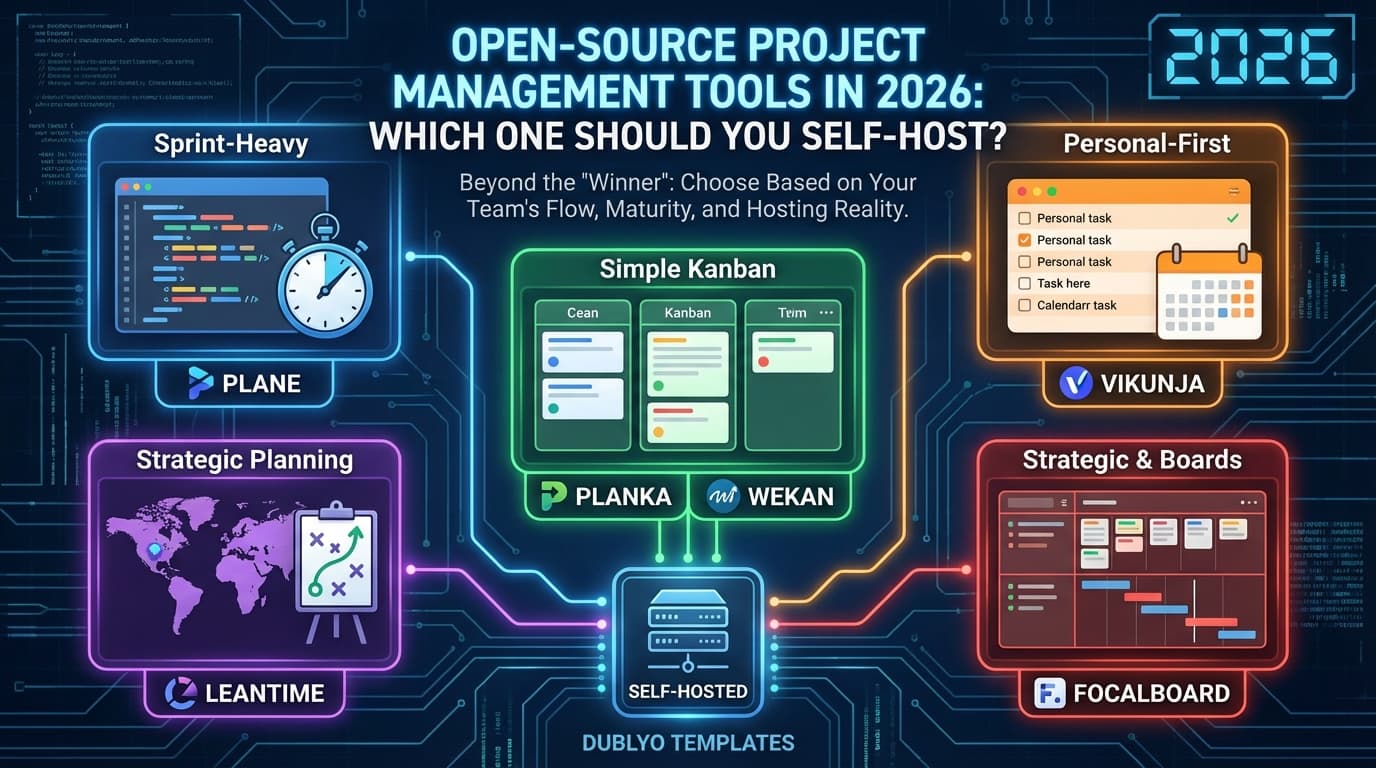
    If you are searching for the best open-source project management software, the wrong approach is looking for one “winner.” These tools optimize for different team behaviors: sprint-heavy engineering, simple Kanban execution, personal-first task planning, or strategic planning workflows.

    This guide compares six tools from your Dublyo templates: Plane, Leantime, Planka, Vikunja, Wekan, and Focalboard. It is written to help you choose based on team maturity, process complexity, and hosting reality.

    Table of contents

    Quick picks by team type

    • Best Jira/Linear-style replacement: Plane
    • Best strategy + planning blend for non-PM-heavy teams: Leantime
    • Best Trello-like modern Kanban UX: Planka
    • Best lightweight personal/team task system: Vikunja
    • Best permissive-license Kanban baseline: Wekan
    • Best for existing users maintaining old boards: Focalboard

    Comparison table

    Tool Best for License (template metadata) Dublyo deploy signal
    Planka Clean Kanban collaboration AGPL-3.0 139 deployments
    Focalboard Board-style teams with Notion/Trello habits AGPL-3.0 132 deployments
    Leantime Teams needing strategy + execution in one place AGPL-3.0 130 deployments
    Plane Engineering-heavy planning and delivery workflows AGPL-3.0 103 deployments
    Vikunja Lightweight task and project management AGPL-3.0 83 deployments
    Wekan MIT-licensed self-hosted Kanban MIT 62 deployments

    Deploy signal values come from your template metadata and show practical usage tendency in your current ecosystem.

    Tool-by-tool analysis

    1) Plane

    Plane is the strongest “engineering workflow” option in this set. It maps well to teams that think in issues, sprints, roadmaps, and structured product delivery.[1][2]

    • Strengths: modern PM workflow posture, strong engineering-team fit, broad project structure.
    • Watch-outs: more moving parts than simple Kanban tools; small teams may find it heavy if they only need boards and checklists.
    • Best fit: startups and product teams replacing Jira/Linear-style flows.

    2) Leantime

    Leantime is built for teams that need more than task tracking. It combines execution with strategy-oriented planning concepts, making it useful for founders and cross-functional teams.[3][4]

    • Strengths: strategic planning support, non-enterprise-friendly complexity level, practical for small-to-mid teams.
    • Watch-outs: if your team only wants simple Kanban, Leantime can feel broader than needed.
    • Best fit: product/ops teams mixing strategic planning with day-to-day execution.

    3) Planka

    Planka is one of the best choices when your team wants a clear Trello-like experience with fast onboarding and low friction.[5][6]

    • Strengths: intuitive board workflow, clean UI, easy team adoption.
    • Watch-outs: Kanban-centric tools may require complementary tooling for advanced roadmap/reporting needs.
    • Best fit: teams that care about simplicity, speed, and board-first collaboration.

    4) Vikunja

    Vikunja is a lightweight task manager with project capabilities. It is a strong option for users who prioritize performance, simplicity, and lower operational overhead.[7][8]

    • Strengths: lean architecture, straightforward operation, good personal/team hybrid behavior.
    • Watch-outs: advanced enterprise PM reporting needs may require extra tooling.
    • Best fit: small teams, founder-led teams, and personal-to-team scaling workflows.

    5) Wekan

    Wekan remains a practical choice for organizations that specifically prefer MIT-licensed open-source software for compliance/procurement reasons.[9][10]

    • Strengths: permissive MIT licensing, mature Kanban model, straightforward self-hosting options.
    • Watch-outs: UX feels more utilitarian than newer PM tools.
    • Best fit: license-sensitive teams needing reliable board-based execution.

    6) Focalboard

    Focalboard is still useful for existing users who already run it and want continuity. For net-new rollouts, evaluate current upstream/community activity and maintenance status before committing long-term.[11][12]

    • Strengths: familiar board paradigm and broad user familiarity.
    • Watch-outs: verify roadmap and release cadence for your risk tolerance.
    • Best fit: continuity use cases rather than greenfield strategic PM platform selection.

    How to choose the right PM tool

    1) Start with your process maturity

    If you already run structured sprints/roadmaps, Plane will likely fit better. If you need simple execution boards, Planka or Wekan usually fit faster.

    2) Decide if strategy should live in the same system

    If yes, Leantime is a strong candidate because it blends planning and execution patterns.

    3) Validate license fit early

    Some teams can adopt AGPL tools easily; others require permissive licensing for legal/procurement reasons. Resolve this early to avoid re-platforming later.

    4) Model your “team growth” cost and complexity

    Pick the tool you can still operate cleanly at 3x current team size. Migration later is always more expensive than expected.

    5) Run a 14-day pilot with real projects

    Do not evaluate with fake demo tasks. Use a real backlog, real assignees, and real sprint/release workflows before finalizing.

    Migration planning checklist

    • Map existing entities: projects, issues, labels, sprints, milestones, comments.
    • Define archive and retention policy before importing legacy data.
    • Test one pilot project first, then roll out to the full org.
    • Create role permissions and workspace conventions in advance.
    • Write a short team handbook for board hygiene and workflow states.

    Deploying these on Dublyo

    All six tools in this guide are available in your Dublyo templates, so you can deploy with less DevOps friction while keeping infrastructure choice across Hetzner, Vultr, DigitalOcean, and OneProvider.[13][14]

    Deploy an open-source PM tool on Dublyo

    FAQ

    What is the best open-source project management tool in 2026?

    There is no single best option. Plane is strong for structured engineering workflows, Planka/Wekan for board-first simplicity, and Leantime for strategy + execution blend.

    Which tool is best if we currently use Trello-style boards?

    Planka or Wekan are usually the fastest transitions for Trello-style teams.

    Which option is best for startups replacing Jira?

    Plane is usually the first tool to evaluate if you need modern issue/sprint/roadmap workflows with self-hosting control.

    Does license type matter for company adoption?

    Yes. Legal and procurement teams often require specific license types. Validate this before selecting your long-term PM platform.

    Can we run these on one server?

    Yes for many small-to-mid workloads, but capacity planning depends on team size, activity volume, and whether you co-host additional services.

    References

    1. Plane GitHub
    2. Plane docs
    3. Leantime GitHub
    4. Leantime docs
    5. Planka GitHub
    6. Planka docs
    7. Vikunja repository
    8. Vikunja docs
    9. Wekan GitHub
    10. Wekan wiki/docs
    11. Focalboard community repository
    12. Focalboard project site
    13. Dublyo
    14. Dublyo docs
  • Open Source Workflow Automation Platforms Compared: 2026 Strategic Analysis

    Open Source Workflow Automation Platforms Compared: 2026 Strategic Analysis

    Table of Contents

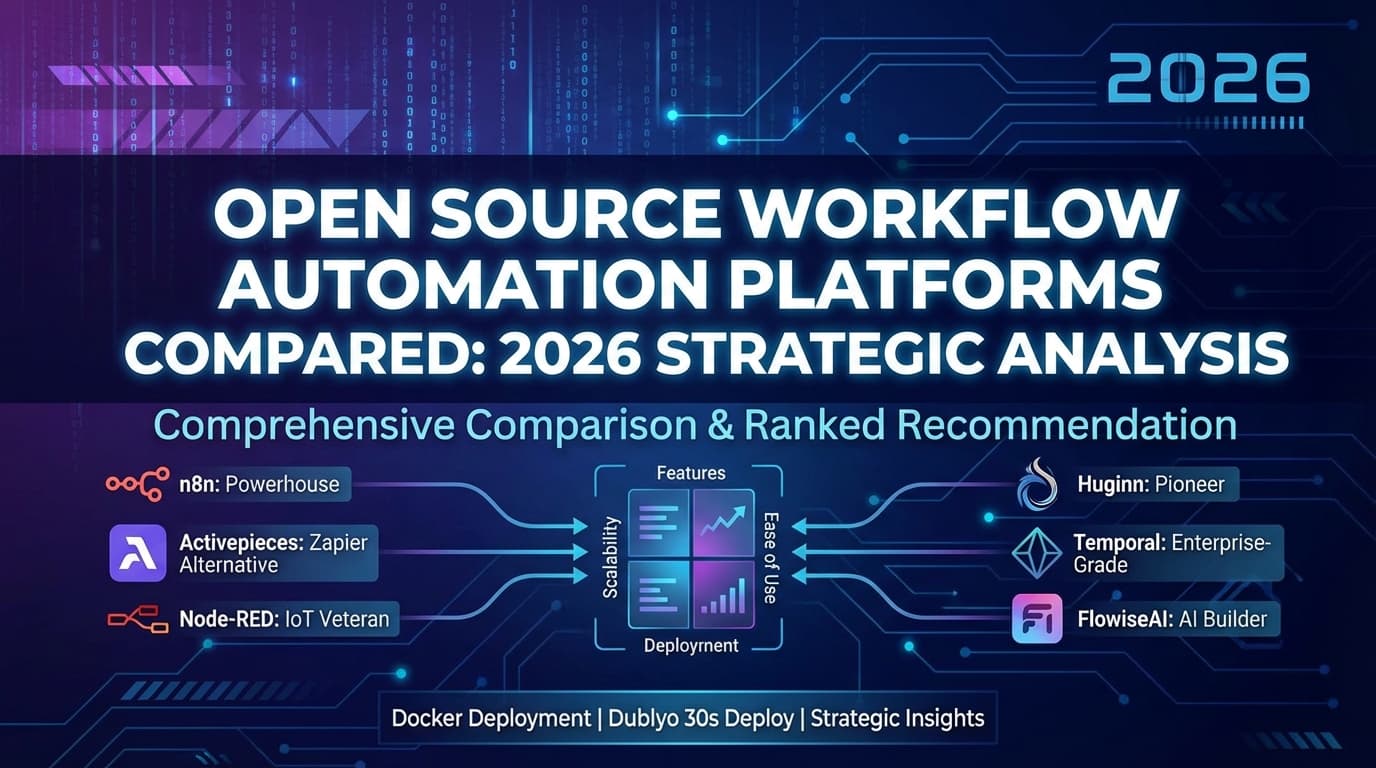
    n8n dominates the space with 174k GitHub stars, native AI capabilities, and the strongest balance of visual simplicity and code flexibility, but each platform serves a distinct niche. The six tools reviewed here range from general-purpose automation (n8n, Activepieces) to IoT-focused flow programming (Node-RED), developer-grade orchestration (Temporal), legacy agent systems (Huginn), and AI-specific builders (FlowiseAI). Your ideal choice depends on whether you need no-code business automation, code-first distributed systems, IoT edge computing, or AI agent development. Below is a thorough breakdown of each platform with current 2025-2026 data, followed by comparison tables and ranked recommendations.


    n8n: The Workflow Automation Powerhouse

    n8n (pronounced “nodemation”) is a fair-code workflow automation platform founded in 2019 by Jan Oberhauser in Berlin. It combines a visual node-based editor with full JavaScript/Python code support, making it uniquely flexible. The platform has raised $240M in total funding at a $2.5B valuation and serves 200,000+ active users. Its explosive growth – from 75k to 174k GitHub stars in under a year – was driven largely by its native AI/LLM capabilities.

    Attribute Details
    GitHub Stars / Forks ~174,000 / ~54,700
    Language / Stack TypeScript, Node.js, Vue.js, PostgreSQL, Redis
    Integrations 400-500+ native nodes (1,200+ with community nodes), ~70 AI-dedicated nodes
    License Sustainable Use License (fair-code)
    Docker Image docker.n8n.io/n8nio/n8n100M+ Docker pulls, port 5678
    Self-Hosting Easy via Docker; production needs PostgreSQL + Redis. Min 1 CPU / 2 GB RAM
    Community 73k+ Discord, 45k+ forum members, weekly releases
    Pricing Community (free self-hosted, unlimited), Starter €20/mo, Pro €50/mo, Enterprise custom

    Pros:

    • Unmatched flexibility combining visual no-code with full JS/Python code nodes and npm packages
    • Native LangChain integration with ~70 AI nodes, agent builders, RAG support, and MCP protocol – the strongest AI-native automation platform
    • Self-hosted Community Edition is completely free with unlimited workflows and executions
    • Execution-based pricing (not per-step) makes complex multi-step workflows dramatically cheaper than Zapier or Make
    • Massive, active community with 174k stars, abundant templates (~5,000), and rapid development cadence

    Cons:

    • Steep learning curve for non-technical users; initial setup can be complex
    • Key enterprise features (SSO, Git version control, environments) locked behind paid Business/Enterprise tiers
    • Self-hosting requires DevOps expertise for production – database management, SSL, backups, monitoring
    • Fewer native integrations than Zapier (6,000+) or Make (1,500+), though HTTP Request nodes bridge most gaps

    Best for: Technical teams, AI/ML developers building LLM agents, privacy-conscious organizations needing self-hosted automation, and companies outgrowing Zapier/Make.


    Activepieces: The MIT-Licensed Zapier Alternative

    Activepieces is an open-source, AI-first automation platform founded in 2022 by ex-Google engineer Mohammad and 3x founder Ashraf in San Francisco. Backed by Y Combinator (S22), it positions itself as a truly open-source Zapier alternative under the MIT License – a key differentiator from n8n’s fair-code model. It claims 100,000+ users from organizations including Google, Roblox, and ClickUp.

    Attribute Details
    GitHub Stars / Forks ~20,800 / ~3,300
    Language / Stack TypeScript (100%), React, Fastify, PostgreSQL, Redis
    Integrations 636+ pieces, ~400 MCP servers, 60% community-contributed
    License MIT (Community Edition)
    Docker Image activepieces/activepieces – supports amd64 + arm64
    Self-Hosting Easy single-container Docker run with PGLite; production needs PostgreSQL + Redis
    Community ~5,400 Discord, 270+ contributors, frequent releases
    Pricing Community (free self-hosted), Cloud Standard $5/active flow/mo, Unlimited custom

    Pros:

    • Genuine MIT open-source license – no fair-code restrictions, full freedom to modify and redistribute
    • Excellent, intuitive UI consistently praised on Product Hunt (4.8/5) and AppSumo (4.9/5) – most approachable for non-technical users
    • AI Agents 2.0 with autonomous sense-plan-act capabilities, ~400 MCP servers, and built-in AI copilot
    • Self-hosted Community Edition provides unlimited task executions at zero cost
    • Strong developer extensibility with TypeScript SDK for custom pieces and hot-reloading

    Cons:

    • Smaller integration library (636 vs. n8n’s 1,200+) with some pieces described as “half-baked”
    • Younger platform (2022) with fewer battle-tested production deployments and performance gaps under high throughput
    • Pricing model instability – multiple changes frustrated early adopters and AppSumo lifetime deal holders
    • Limited enterprise track record with only ~19 employees and reliance on community support channels

    Best for: SMBs seeking a cost-effective Zapier replacement, non-technical teams needing intuitive no-code automation, and organizations wanting genuine open-source licensing.


    Node-RED: The IoT and Edge Computing Veteran

    Node-RED is an open-source, flow-based programming tool created at IBM in January 2013 by Nick O’Leary and Dave Conway-Jones. Now governed by the OpenJS Foundation under the Apache 2.0 license, it’s the most mature platform in this comparison. Its sweet spot is IoT, industrial automation, and edge computing – it runs on everything from Raspberry Pi Zero to enterprise servers.

    Attribute Details
    GitHub Stars / Forks ~22,800 / ~3,800
    Language / Stack JavaScript, Node.js, Express.js
    Integrations 5,837 community node packages + 3,057 shared flows
    License Apache 2.0 (fully open source)
    Docker Image nodered/node-red – official multi-arch (amd64, arm32, arm64, s390x)
    Self-Hosting Very easy – runs on 256 MB RAM, Raspberry Pi, single npm install
    Community 40,000+ forum topics, annual Node-RED Con, Hitachi as major contributor
    Pricing 100% free. Commercial FlowFuse platform from $20/mo adds enterprise features

    Pros:

    • Massive integration ecosystem with 5,837+ community nodes covering virtually every protocol (MQTT, OPC-UA, Modbus, Serial) and service
    • Extremely lightweight – runs on devices with 256 MB RAM, including Raspberry Pi Zero, making it ideal for edge computing
    • 13 years of maturity with production deployments at Fortune 500 manufacturers, healthcare systems, and smart buildings
    • Fully open source under Apache 2.0 with no vendor lock-in; flows are portable JSON files
    • Rapid prototyping – users build solutions in hours that would take days with traditional coding

    Cons:

    • Scalability challenges – monolithic JSON flow files make version control and multi-developer collaboration painful
    • Limited built-in enterprise features (no HA, RBAC, audit logs without FlowFuse); single-user by default
    • JavaScript lock-in with no native support for Python, Go, or Java workflows
    • No built-in AI features – AI capabilities come only through community nodes and manual HTTP integrations

    Best for: IoT developers, industrial engineers (IIoT/SCADA), home automation enthusiasts, rapid prototypers, and edge computing deployments where lightweight resource usage matters.


    Huginn: The Self-Hosted Agent Pioneer Showing Its Age

    Huginn is a self-hosted automation system for building agents that perform automated tasks, created by Andrew Cantino in 2013. Named after Odin’s raven representing “thought,” it pioneered the concept of autonomous software agents years before the AI era. The New York Times used it during the 2014 Winter Olympics. Despite 48.3k GitHub stars, the project is now effectively in maintenance mode.

    Attribute Details
    GitHub Stars / Forks ~48,300 / ~4,200
    Language / Stack Ruby on Rails, MySQL/PostgreSQL, DelayedJob
    Integrations ~50+ built-in agent types plus external Ruby gems
    License MIT
    Docker Image huginn/huginn – also on GHCR
    Self-Hosting Moderate-to-hard; requires 2-4 GB RAM (Rails is memory-hungry)
    Community Only 6 active contributors last quarter; last release Aug 2022; 603 open issues
    Pricing 100% free, no commercial version

    Pros:

    • Completely free with zero usage limits – no per-task billing, feature gating, or execution caps
    • Full data sovereignty with all processing on your server; ideal for privacy-sensitive use cases
    • Powerful built-in web scraping via WebsiteAgent with CSS/XPath/JSONPath – stronger than most competitors’ free tiers
    • Complex multi-step logic (branching, filtering, deduplication, digest aggregation) as core free features
    • Proven stability – users report reliable operation for months with zero intervention once configured

    Cons:

    • Effectively unmaintained: last official release was August 2022, only 6 active contributors, 603 open issues and 91 unprocessed PRs
    • No visual drag-and-drop editor – all configuration through JSON forms with a dated 2013-era UI
    • Resource-hungry Ruby on Rails framework demands 2-4 GB RAM for moderate workloads
    • No AI/ML capabilities and no modern integration ecosystem; each new connection requires manual HTTP configuration

    Best for: Privacy-conscious developers comfortable with JSON configuration who need powerful web scraping and monitoring automation on a zero budget. Not recommended for new projects given maintenance concerns.


    Temporal: Enterprise-Grade Durable Workflow Orchestration

    Temporal is an open-source durable execution platform forked from Uber’s Cadence project, founded by Maxim Fateev and Samar Abbas around 2020. Unlike the other tools here, Temporal is a code-first workflow orchestration engine – there’s no visual editor. Developers write workflows in Go, Java, Python, TypeScript, .NET, PHP, or Ruby with automatic state persistence and fault tolerance. It powers Stripe, Netflix, Snap, Coinbase, Twilio, and NVIDIA, processing 15 billion+ actions per day on Temporal Cloud.

    Attribute Details
    GitHub Stars / Forks ~16,900 / ~1,200
    Language / Stack Go (server), SDKs in 7 languages, PostgreSQL/MySQL/Cassandra
    Integrations 7 official SDKs + 4 community SDKs; ecosystem-based rather than connector-based
    License MIT
    Docker Image temporalio/auto-setup (dev), temporalio/server (prod)
    Self-Hosting Moderate-to-hard; min 7 components for full service; Kubernetes recommended for production
    Community Tens of thousands on Slack, 1,000+ Cloud customers, annual Replay conference
    Pricing Free self-hosted; Cloud from $100/mo (Essentials) to custom Enterprise

    Pros:

    • Unmatched durability and reliability – workflows automatically persist state at every step and resume after crashes without custom recovery logic
    • Workflow-as-code in 7 languages with native loops, conditionals, and try/catch – vastly superior DX versus YAML/JSON state machines
    • Battle-tested at massive scale by Stripe, Netflix, Coinbase, and Twilio for mission-critical financial transactions
    • Long-running workflow support (days, weeks, months) with durable timers that consume zero compute
    • Growing AI/agent ecosystem with OpenAI Agents SDK integration and MCP support for durable LLM orchestration

    Cons:

    • Steep learning curve – determinism constraints on workflow code trip up most developers; effectively requires senior engineers
    • Self-hosting is significantly complex with multiple services, database management, schema migrations, and shard configuration
    • No visual editor or low-code interface – purely code-first, making it inaccessible to non-developers
    • Vendor lock-in risk due to Temporal’s unique programming model; migrating away requires significant refactoring

    Best for: Enterprise engineering teams building mission-critical distributed systems, microservices orchestration, financial transaction processing, and teams replacing fragile cron jobs or Celery tasks. Not suitable for no-code users or simple automation needs.


    FlowiseAI: The Visual AI Agent Builder

    FlowiseAI (Flowise) is an open-source, low-code platform for building AI agents and LLM workflows visually. Founded in 2023 by Henry Heng and Chung Yau Ong, backed by Y Combinator (S23), it was acquired by Workday in August 2025. Unlike general-purpose automation tools, Flowise is purpose-built for AI – wrapping LangChain into visual drag-and-drop components for RAG pipelines, chatbots, and multi-agent systems.

    Attribute Details
    GitHub Stars / Forks ~49,100 / ~23,700
    Language / Stack TypeScript, Node.js, React, LangChain, SQLite/PostgreSQL
    Integrations 100+ integrations (LLMs, vector DBs, document loaders, tools)
    License Apache 2.0
    Docker Image Dockerfile in repo; elestio/flowiseai on Docker Hub
    Self-Hosting Moderate; npm install -g flowise or Docker. Needs Node.js v18+
    Community ~12,400 Discord, 49k stars, active GitHub discussions
    Pricing Free self-hosted; Cloud: Free tier, Starter $35/mo, Pro $65/mo, Enterprise custom

    Pros:

    • Excellent visual drag-and-drop interface for building AI agents, RAG systems, and chatbots – often described as “Figma for AI”
    • Strong open-source foundation under Apache 2.0 with 49k+ GitHub stars and active development
    • Supports both proprietary and open-source LLMs including OpenAI, Anthropic, Google Gemini, and local models via Ollama
    • Rapid prototyping – users build functional RAG assistants in minutes with pre-built templates
    • Enterprise backing from Workday acquisition ensures long-term stability and investment

    Cons:

    • Not a general workflow automation tool – limited to AI/LLM use cases; you’ll need separate tools for CRM, email, and business process automation
    • Debugging complex multi-agent flows becomes messy at scale with the visual interface
    • Enterprise features (RBAC, SSO, audit logging) locked behind paid Enterprise tier even for self-hosted deployments
    • Workday acquisition may shift priorities toward enterprise HR/finance use cases, potentially deprioritizing community features

    Best for: Developers building AI agents, RAG chatbots, and LLM-powered applications. Ideal for rapid AI prototyping and teams needing visual LLM workflow development with self-hosting capability.


    Comprehensive Comparison Across All Six Platforms

    Category n8n Activepieces Node-RED Huginn Temporal FlowiseAI
    GitHub Stars 174,000 20,800 22,800 48,300 16,900 49,100
    GitHub Forks 54,700 3,300 3,800 4,200 1,200 23,700
    Primary Language TypeScript TypeScript JavaScript Ruby Go TypeScript
    License Fair-code MIT Apache 2.0 MIT MIT Apache 2.0
    Ease of Use ★★★★☆ ★★★★★ ★★★★☆ ★★☆☆☆ ★★☆☆☆ ★★★★☆
    Scalability ★★★★☆ ★★★☆☆ ★★☆☆☆ ★★☆☆☆ ★★★★★ ★★★☆☆
    Native Integrations 400-500+ 636+ 5,837+ nodes ~50 agents 7 SDKs 100+
    AI Capabilities ★★★★★ ★★★★☆ ★★☆☆☆ ★☆☆☆☆ ★★★★☆ ★★★★★
    Community Activity ★★★★★ ★★★☆☆ ★★★★☆ ★☆☆☆☆ ★★★★☆ ★★★★☆
    Docker Support Official, 100M+ pulls Official, multi-arch Official, multi-arch Official Official docker-compose Dockerfile in repo
    Self-Host Difficulty Easy-Moderate Easy Very Easy Moderate-Hard Hard Moderate
    Free Self-Hosted ✅ Unlimited ✅ Unlimited ✅ Unlimited ✅ Unlimited ✅ Unlimited ✅ Unlimited
    Cloud Pricing Start €20/mo $5/flow/mo $20/mo (FlowFuse) None $100/mo $35/mo
    Visual Editor ✅ Node-based ✅ Step-based ✅ Flow-based ❌ JSON forms ❌ Code only ✅ Drag-and-drop
    Code Support JS + Python JS/TS JavaScript JS + Shell Go/Java/Python/TS/.NET/PHP/Ruby JS/Python SDK
    Enterprise Features SSO, RBAC, Git, Audit SSO, RBAC, Audit, SOC 2 Via FlowFuse None SSO, RBAC, multi-region SSO, RBAC, Audit
    Primary Use Case General automation + AI General automation IoT + edge Web scraping + monitoring Distributed systems AI agents + LLM apps
    Maintenance Status Very active Very active Active ⚠ Maintenance mode Very active Active (Workday)
    Founded 2019 2022 2013 2013 2020 2023

    Docker Deployment Across All Platforms

    Every platform supports Docker, but the maturity and ease vary significantly.

    Platform Docker Image Quick Start Command Production Notes
    n8n docker.n8n.io/n8nio/n8n docker run -p 5678:5678 -v n8n_data:/home/node/.n8n docker.n8n.io/n8nio/n8n Add PostgreSQL + Redis for queue mode scaling. 100M+ pulls.
    Activepieces activepieces/activepieces docker run -p 8080:80 -e AP_REDIS_TYPE=MEMORY -e AP_DB_TYPE=PGLITE activepieces/activepieces Add PostgreSQL 14+ and Redis 7+ for production. Supports ARM64.
    Node-RED nodered/node-red docker run -p 1880:1880 -v node_red_data:/data nodered/node-red Lightest footprint. Multi-arch including ARM32. Minimal and Debian variants available.
    Huginn huginn/huginn docker run -p 3000:3000 huginn/huginn Includes built-in MySQL (data lost on restart). Link external MySQL/PostgreSQL for persistence.
    Temporal temporalio/auto-setup git clone temporalio/docker-compose && docker-compose up Dev only. Production requires temporalio/server + managed database + Kubernetes Helm charts.
    FlowiseAI Dockerfile in repo / elestio/flowiseai npx flowise start or docker-compose up from /docker folder Add PostgreSQL for production. Also deployable via Railway, Render, Elestio one-click.

    Ranked Recommendation: From Most to Least Broadly Useful

    1. n8n – Best overall workflow automation platform. The combination of visual editing, full code support, 174k stars, native AI/LangChain integration, and a thriving community makes it the clear leader for most automation needs. Its fair-code license is the only notable compromise versus pure open source. If you need one tool that handles business automation AND AI agent workflows, n8n is the answer.

    2. Activepieces – Best for teams prioritizing genuine open-source licensing and non-technical user accessibility. Its MIT license, intuitive UI, and growing AI capabilities make it the strongest pure open-source alternative to Zapier. It ranks second because its smaller integration library, younger ecosystem, and performance gaps under load mean it hasn’t yet matched n8n’s breadth and reliability.

    3. Node-RED – Best for IoT, industrial automation, and edge computing. Its 5,837+ community nodes, 13 years of maturity, and ability to run on a Raspberry Pi Zero make it unbeatable for hardware integration use cases. It ranks third overall because its single-user design, JavaScript lock-in, and limited enterprise/AI features narrow its applicability for modern business automation.

    4. Temporal – Best for enterprise distributed systems engineering. When you need workflows that survive crashes, run for months, and process billions of transactions (like Stripe and Coinbase do), nothing else compares. It ranks fourth for general workflow automation because it’s code-only, requires senior engineering talent, and is overkill for typical business automation needs. For its specific niche, it’s unquestionably #1.

    5. FlowiseAI – Best for AI-specific agent and LLM application development. Its 49k stars and visual LangChain wrapper make AI prototyping remarkably fast. It ranks fifth because it’s not a general workflow automation tool – you can’t use it for CRM syncing, email automation, or business process workflows. For AI-only use cases, it arguably ties with n8n’s AI capabilities.

    6. Huginn – The pioneering agent platform that time has passed by. Despite 48.3k stars reflecting historical significance, its last release was August 2022, only 6 developers remain active, and it lacks AI capabilities, a visual editor, and modern integrations. It remains viable for privacy-focused web scraping on a zero budget, but new projects should choose Activepieces or n8n instead.


    Deploy Any of These Tools in 30 Seconds with Dublyo

    Here’s the reality: self-hosting workflow automation tools typically means hours of server provisioning, Docker configuration, reverse proxy setup, SSL certificates, and DNS management. Dublyo eliminates all of that.

    Dublyo is a transparent-pricing PaaS that offers 150+ ready-to-deploy open-source app templates – including n8n, Activepieces, Node-RED, and other workflow tools covered in this article – as public Docker image templates. The deployment process is dead simple:

    1. Get a server – pick a plan starting at just $4.60/mo (actual server cost, no markup)
    2. Choose your app template – browse the template library and pick n8n, Activepieces, Node-RED, or any of the 150+ available apps
    3. Click deploy – Dublyo handles Docker setup, SSL certificates, domain configuration, and monitoring automatically
    4. You’re live – your self-hosted automation platform is running in under 30 seconds

    No Docker CLI. No YAML files. No reverse proxy headaches. No hidden fees.

    [Screenshots: Dublyo deployment flow – template selection, one-click deploy, and live running instance]

    What Makes Dublyo Different From Other Hosting Options

    Unlike per-app platforms like Elestio ($15-30/app/month) or Railway (usage-based billing surprises), Dublyo charges only the actual server cost – deploy as many apps as your server can handle with zero per-app fees. That means you can run n8n, Activepieces, AND a PostgreSQL database all on the same $4.60/mo server.

    Everything is included out of the box: free SSL, custom domains, server monitoring, DDoS protection, and full SSH access. You maintain complete control over your data with no vendor lock-in – your Docker configs are fully exportable.

    Quick Deployment Reference

    Platform Deploy on Dublyo? Template Available Notes
    n8n ✅ One-click ✅ Ready template Most popular automation template
    Activepieces ✅ One-click ✅ Ready template Includes PostgreSQL + Redis
    Node-RED ✅ One-click ✅ Ready template Lightweight, runs on smallest plan
    Huginn ✅ One-click ✅ Ready template Includes MySQL
    Temporal ✅ Deploy via Docker Custom compose Multi-service setup, larger server recommended
    FlowiseAI ✅ One-click ✅ Ready template Great for AI agent builders

    For teams evaluating self-hosted workflow automation, Dublyo removes the biggest barrier to entry: the DevOps overhead of actually getting these tools running. Whether you’re a solo developer testing n8n for the first time or an agency deploying Activepieces for a client, Dublyo gets you from zero to production-ready in 30 seconds.

    Try it free at dublyo.com – 100 free credits at signup, no credit card required.


    Conclusion

    The workflow automation landscape has fragmented into distinct categories that serve very different users. n8n has emerged as the dominant general-purpose platform, combining visual simplicity with developer power and leading the AI-native automation charge. Activepieces offers the most permissive licensing and approachable UX for less technical teams. Node-RED remains unmatched for IoT and edge use cases. Temporal occupies a category of its own for enterprise-grade durable execution. FlowiseAI fills an important niche for visual AI agent development. And Huginn, while historically significant, serves as a cautionary tale about community sustainability.

    The most important decision factor isn’t features – it’s who will use the tool. Non-technical teams should start with Activepieces. Developer teams wanting flexibility should choose n8n. IoT engineers belong on Node-RED. Enterprise architects building distributed systems need Temporal. AI developers prototyping LLM apps should try FlowiseAI. Choose based on your team’s technical depth and primary use case, not star counts.

    And whichever tool you pick, you can have it running on Dublyo in 30 seconds – no DevOps required.

  • The Definitive Guide to Open-Source AI Chat Platforms in 2026

    The Definitive Guide to Open-Source AI Chat Platforms in 2026

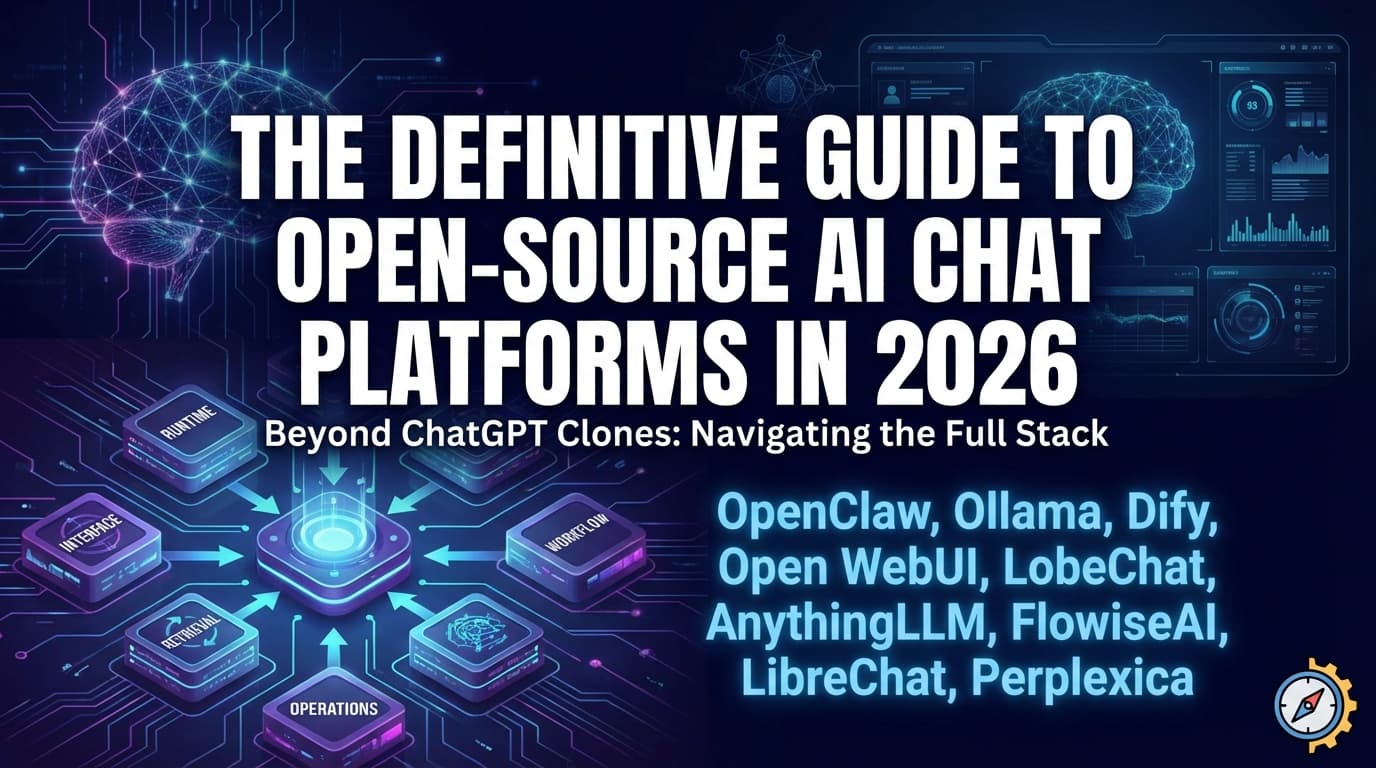
    The category for open-source AI chat platforms has matured quickly. What used to be a simple “ChatGPT clone” decision is now a stack decision: runtime, interface, workflow orchestration, retrieval quality, multi-user controls, and ongoing operations. In practice, teams now choose a combination of tools, not a single tool.

    This guide covers 9 major platforms used in self-hosted AI deployments: OpenClaw, Ollama, Dify, Open WebUI, LobeChat, AnythingLLM, FlowiseAI, LibreChat, and Perplexica. The goal is pragmatic: help you pick the right tool for your workload, then deploy it reliably with minimal friction.

    Table of Contents

    Quick Comparison

    Platform Best for Core strength Typical role in stack
    OpenClaw Autonomous task execution Agent actions across channels and tools Automation/agent layer
    Ollama Local model inference Simple local LLM runtime and API Model runtime foundation
    Dify Production AI apps Workflow + app-building platform LLMOps and workflow layer
    Open WebUI Self-hosted AI interface Comprehensive multi-model chat UI User-facing chat frontend
    LobeChat Polished multi-provider chat Strong UX + broad provider support User-facing chat frontend
    AnythingLLM Document chat + RAG workspaces Practical workspace-based knowledge chat RAG application layer
    FlowiseAI Visual flow building Drag-and-drop orchestration Prototype/workflow layer
    LibreChat Enterprise-style chat portal Strong chat UX + admin controls Internal AI portal
    Perplexica Search-first assistant Citation-style answer workflow Research/search layer

    All 9 are active projects with public repositories and documentation.[1][3][5][7][9][11][13][15][17]

    Platform Deep Dive

    OpenClaw

    OpenClaw is the most agent-centric tool in this list. It is designed for action-oriented assistant workflows rather than basic question-answer chat. If your goal is to let AI perform real tasks with controlled permissions, OpenClaw is one of the strongest candidates.[1][2]

    Use it when: you need autonomous workflows and can enforce strict guardrails, sandboxing, and audit controls.

    Avoid it when: your team primarily needs a stable, simple chat UI with minimal operational risk.

    Ollama

    Ollama is infrastructure, not a full chat platform. Its role is to run local models and expose a clean developer API. In many self-hosted stacks, Ollama is the model engine underneath Open WebUI, LobeChat, or AnythingLLM.[3][4]

    Use it when: you need local inference control, privacy, and model flexibility.

    Avoid it when: you expect it to provide complete team-facing UX on its own.

    Dify

    Dify is one of the most complete open-source options for building production LLM applications. It is workflow-first, making it useful for teams shipping internal copilots, support assistants, and domain-specific tools.[5][6]

    Use it when: you need orchestration, app logic, and repeatable production flows.

    Avoid it when: you only need a lightweight chat interface without workflow complexity.

    Open WebUI

    Open WebUI is a broad self-hosted AI interface that works well as an internal AI front door. It is commonly chosen for teams that want a single place to access multiple model backends and assistants.[7][8]

    Use it when: you need a feature-rich self-hosted chat experience quickly.

    Avoid it when: you want a narrowly scoped, minimal interface with fewer controls.

    LobeChat

    LobeChat is known for UI quality and broad provider compatibility. It is a good fit for teams where user adoption and interface quality matter as much as backend flexibility.[9][10]

    Use it when: you want polished UX and multi-provider access in one chat product.

    Avoid it when: you prefer highly minimal interfaces or deeply custom internal workflows.

    AnythingLLM

    AnythingLLM is strong for document-centric use cases and practical workspace segmentation. If your primary requirement is “chat with internal docs,” it is a serious contender.[11][12]

    Use it when: document ingestion and RAG are core to your product or team workflows.

    Avoid it when: you need workflow orchestration at the same depth as Dify or Flowise.

    FlowiseAI

    FlowiseAI is the fast visual builder in this set. It is often the easiest way to prototype tool-calling and multi-step chains without writing orchestration code first.[13][14]

    Use it when: you need quick iteration and visual experimentation.

    Avoid it when: your team requires strict software-engineering controls from day one.

    LibreChat

    LibreChat is a practical choice for organizations that want ChatGPT-style interaction with self-hosted deployment control. It is commonly selected for internal team portals and multi-provider access.[15][16]

    Use it when: you need broad provider support and familiar chat behavior for teams.

    Avoid it when: your primary need is agent workflow orchestration rather than chat UX.

    Perplexica

    Perplexica is search-first. It shines when your workflow is “find sources, synthesize, and cite,” which is different from standard assistant chat interaction.[17]

    Use it when: your users need source-grounded search-style answers.

    Avoid it when: your core requirement is app-building workflows or enterprise portal controls.

    Recommended Stack Patterns

    • Local-first chat stack: Ollama + Open WebUI
    • Production workflow stack: Dify + Ollama (or external model APIs)
    • Document assistant stack: AnythingLLM + Ollama
    • Rapid prototyping stack: FlowiseAI + Ollama
    • Research-oriented stack: Perplexica + Ollama

    How to Choose the Right Platform

    Use this five-question filter before committing:

    1. Do you need a chat UI, an agent system, or a workflow builder?
    2. Do you require local inference, external APIs, or both?
    3. Is your main value document/RAG quality or general conversation?
    4. How much operational complexity can your team realistically absorb?
    5. Do you need multi-user controls, auditability, and policy enforcement now?

    If you cannot answer these clearly, start with a minimal stack and run a 2-week pilot on real use cases. Most failed AI platform rollouts are selection failures, not model failures.

    Deploying on Dublyo (Terms-Aligned)

    Dublyo can simplify deployment for these platforms through template-driven VPS hosting workflows.[18][19] The terms model is important:

    Area Dublyo role User role
    Software source Provides deployment templates and infrastructure workflow Selects and runs upstream software/images
    Software distribution Not a distributor/packager of third-party apps Accepts each third-party license and usage terms
    Operations Helps with provisioning, deploy flow, SSL/domain tooling Owns app operation, compliance, and data responsibilities

    That means Dublyo is a hosting/deployment platform for VPS workloads, while software rights and obligations remain with original publishers and your usage decisions.[20]

    Deploy an AI chat platform on Dublyo

    FAQ

    What is the best open-source AI chat platform in 2026?

    There is no universal winner. Dify is strong for production workflows, Open WebUI/LobeChat for chat UX, AnythingLLM for document-driven RAG, and Ollama for local runtime infrastructure.

    Which platform should I use for local models?

    Start with Ollama as runtime, then pair it with Open WebUI, LobeChat, or AnythingLLM depending on interface and workflow needs.

    Which option is best for enterprise internal assistants?

    A common path is LibreChat or Open WebUI for user interface, plus Dify when you need deeper workflow orchestration and app logic.

    Is Perplexica a ChatGPT replacement?

    Not exactly. It is better understood as a self-hosted search-and-citation assistant rather than a general-purpose conversational workspace.

    Can I deploy all of these easily without deep DevOps?

    Yes. Template-based deployment platforms can reduce setup time significantly, but you still need to own security, policy, and software-license compliance.

    References

    1. OpenClaw GitHub
    2. OpenClaw documentation
    3. Ollama GitHub
    4. Ollama site/docs
    5. Dify GitHub
    6. Dify documentation
    7. Open WebUI GitHub
    8. Open WebUI documentation
    9. LobeChat GitHub
    10. LobeHub documentation
    11. AnythingLLM GitHub
    12. AnythingLLM documentation
    13. FlowiseAI GitHub
    14. FlowiseAI documentation
    15. LibreChat GitHub
    16. LibreChat documentation
    17. Perplexica GitHub
    18. Dublyo
    19. Dublyo documentation
    20. Dublyo Terms of Service